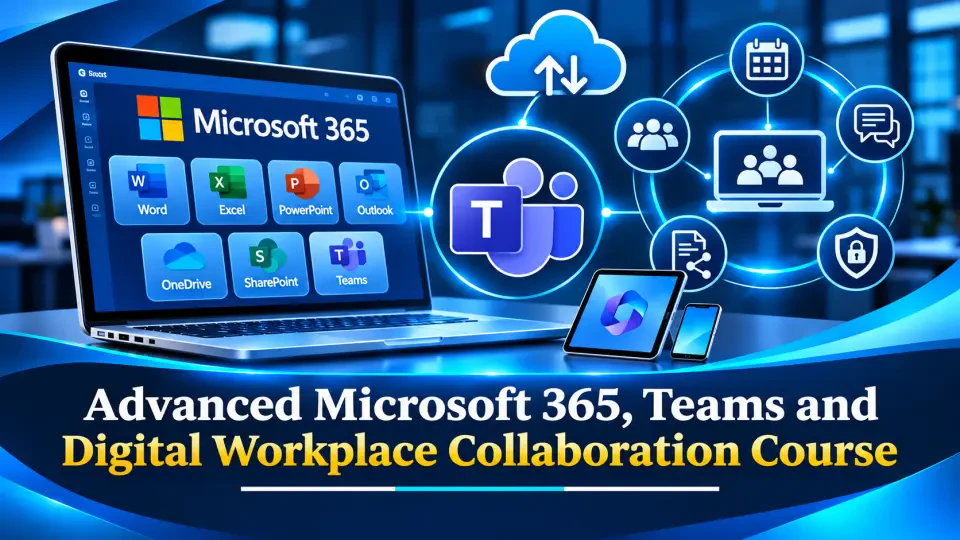
Advanced Microsoft 365, Teams and Digital Workplace Collaboration Course
The Advanced Microsoft 365, Teams and Digital Workplace Collaboration Course is a 5-day professional training programme delivered in-person or online in ICT-Information & Communication Technology, ending with a TrustGate Corporate Skills certificate of completion.
This programme equips professionals with the skills to use Microsoft 365 applications and collaboration technologies to improve workplace productivity, communication, document management and teamwork. It explores Microsoft Teams, SharePoint, OneDrive, Outlook, Word, Excel, Pow...
Course Overview
Learning Objectives
- Use Microsoft 365 applications to support integrated workplace productivity.
- Configure and manage collaborative workspaces in Microsoft Teams.
- Organize shared documents using SharePoint and OneDrive.
- Apply co-authoring, version control and access management practices.
- Improve meeting management, communication and team coordination.
- Integrate Microsoft 365 applications into everyday work processes.
- Apply digital collaboration, security and information governance principles.
Course Content
- Microsoft 365 architecture, services and workplace applications.
- User accounts, licensing concepts and application access.
- Integrating productivity applications into daily work.
- Digital workplace practices, collaboration standards and user responsibilities.
- Creating teams, channels and structured collaboration spaces.
- Managing conversations, notifications, memberships and permissions.
- Organizing meetings, webinars and collaborative discussions.
- Sharing files, coordinating tasks and managing team knowledge.
- SharePoint sites, libraries, lists and workspace organization.
- Document libraries, metadata and content classification.
- Permissions, sharing controls and version history.
- Designing departmental portals and collaborative information spaces.
- File synchronization, cloud storage and access across devices.
- Sharing documents securely with internal and external users.
- Co-authoring, version history and document recovery.
- Managing storage, synchronization conflicts and offline access.
- Collaborative document preparation and review in Word.
- Shared workbooks, data validation and collaborative analysis in Excel.
- Team presentations and shared content development in PowerPoint.
- Templates, comments, version management and standardized reporting.
- Email organization, rules, categories and prioritization.
- Shared calendars, scheduling and meeting coordination.
- Managing group communication and shared mailboxes where authorized.
- Professional digital communication and information overload management.
- Task allocation, ownership, deadlines and progress tracking.
- Using Microsoft Planner and To Do for task coordination.
- Integrating task discussions with Teams and shared documents.
- Tracking deliverables, dependencies and team accountability.
- Connecting Microsoft 365 applications through available integrations.
- Automating routine notifications and collaboration activities.
- Using available AI-assisted features for summaries and content support.
- Verifying AI outputs and applying organizational information policies.
- Identity management, authentication and access permissions.
- Data classification, secure sharing and information protection.
- Retention, version control and records management considerations.
- Collaboration governance, compliance and responsible user practices.
- Assessing an organization's collaboration challenges.
- Designing a structured Teams and SharePoint workspace.
- Developing document-sharing, task management and meeting workflows.
- Presenting a digital workplace improvement plan with measurable outcomes.
Who Should Attend?
- Managers and supervisors.
- Administrative and executive support professionals.
- Human resource and project management teams.
- ICT officers and Microsoft 365 administrators.
- Finance, procurement and operations professionals.
- Trainers, lecturers and institutional administrators.
- Distributed and hybrid working teams.
- Professionals responsible for organizational communication and reporting
Training Methodology
- Instructor-led demonstrations.
- Hands-on Microsoft 365 application exercises.
- Microsoft Teams collaboration simulations.
- SharePoint and OneDrive document management workshops.
- Collaborative project assignments.
- Digital meeting and communication exercises.
- Practical workplace productivity assessments.
Is this course for you?
Level: Advanced
Problems this course solves
- Fragmented workplace communication: Improves collaboration through integrated messaging, meetings and shared workspaces.
- Document duplication and version conflicts: Introduces centralized document storage, co-authoring and version management.
- Inefficient meetings and teamwork: Strengthens meeting coordination, task allocation and collaborative work practices.
- Poor information access and control: Improves permissions management, information organization and secure document sharing.
What's Included
Certification
Advanced Microsoft 365, Teams and Digital Workplace Collaboration
Issued by: TRUSTGATE CORPORATE SKILLS
Frequently Asked Questions
How long is the Advanced Microsoft 365, Teams and Digital Workplace Collaboration Course training?
The Advanced Microsoft 365, Teams and Digital Workplace Collaboration Course runs for 5 Days. Each day combines expert-led teaching with practical, hands-on exercises so participants can apply what they learn immediately.
Is the Advanced Microsoft 365, Teams and Digital Workplace Collaboration Course delivered online or in-person?
This course is delivered in person (scheduled venues include Nairobi, Mombasa, Lusaka, Kigali), live online, or in-house at your organisation.
How much does the Advanced Microsoft 365, Teams and Digital Workplace Collaboration Course cost?
The fee is US$600 per person online and US$1,400 per person in person. In-person fees depend on the participant's country; the pricing card on this page shows the fee for yours.
When is the next Advanced Microsoft 365, Teams and Digital Workplace Collaboration Course training?
A session is running now, from 23 November 2026 to 27 November 2026 in Nairobi, Kenya. The next one runs from 30 November 2026 to 4 December 2026 in Nairobi, Kenya. You can also request a custom date or an in-house session for your team.
Do I get a certificate after completing the Advanced Microsoft 365, Teams and Digital Workplace Collaboration Course?
Yes. Participants who complete the Advanced Microsoft 365, Teams and Digital Workplace Collaboration Course receive a certificate of completion from TRUSTGATE CORPORATE SKILLS.
What will I learn in the Advanced Microsoft 365, Teams and Digital Workplace Collaboration Course?
Key learning outcomes include: Use Microsoft 365 applications to support integrated workplace productivity; Configure and manage collaborative workspaces in Microsoft Teams; Organize shared documents using SharePoint and OneDrive; Apply co-authoring, version control and access management practices; Improve meeting management, communication and team coordination.