Business Process Automation Using Power Automate and Low-Code Tools Training Course
The Business Process Automation Using Power Automate and Low-Code Tools Training Course is a 5-day professional training programme delivered in-person or online in ICT-Information & Communication Technology, ending with a TrustGate Corporate Skills certificate of completion.
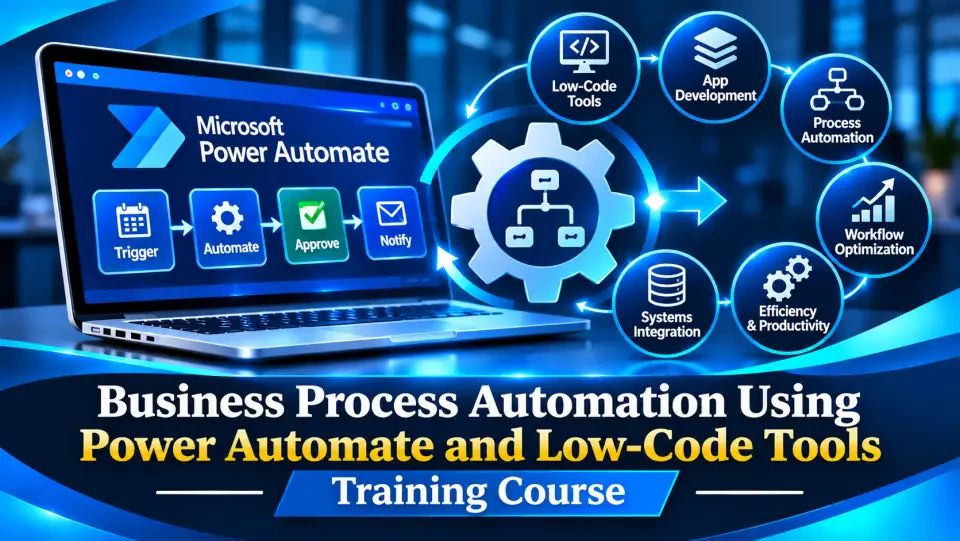
This programme equips professionals with the skills to automate repetitive business processes using Microsoft Power Automate and other suitable low-code tools. It explores workflow design, trigger configuration, action sequences, approval processes, notifications, data integra...
Last updated
Course Overview
Learning Objectives
- Identify business processes suitable for low-code automation.
- Map workflows and translate business requirements into automation logic.
- Build automated, instant and scheduled cloud flows.
- Integrate applications using connectors, triggers and actions.
- Configure approvals, notifications and conditional business rules.
- Test, troubleshoot and monitor automated workflows.
- Apply security, governance and maintenance practices to automation solutions.
Course Content
- Business process automation concepts and organizational applications.
- Identifying repetitive, rule-based and high-volume activities.
- Process mapping, bottleneck identification and requirements gathering.
- Automation feasibility, expected benefits and risk assessment.
- Power Automate components, environments and licensing considerations.
- Cloud flows, desktop flows and available automation capabilities.
- Triggers, actions, connectors and workflow execution.
- Selecting appropriate low-code tools for different business needs.
- Automated flows triggered by events.
- Instant flows initiated by users.
- Scheduled flows for recurring activities.
- Flow structure, naming conventions and reusable design practices.
- Conditional statements and branching logic.
- Variables, expressions and data manipulation.
- Loops, filtering and processing multiple records.
- Dates, approvals, thresholds and rule-based decisions.
- Integrating Microsoft 365 applications and services.
- Working with SharePoint lists, Excel files and business data.
- Connecting to supported third-party services and APIs.
- Managing connector permissions, credentials and data consistency.
- Designing multi-stage approval processes.
- Routing requests according to roles, values and conditions.
- Automating document reviews, signatures and status notifications.
- Escalation rules, rejection handling and approval records.
- Collecting information through forms and structured inputs.
- Sending email, Teams and other supported notifications.
- Automating task creation and assignment.
- Improving user experience and communicating workflow status.
- Testing workflows against business requirements.
- Configuring error handling, retries and timeout behaviour.
- Diagnosing failed runs and resolving connector issues.
- Monitoring execution history and documenting corrective actions.
- User permissions, service accounts and credential protection.
- Environment management and separation of development and production.
- Data loss prevention policies and connector governance.
- Version management, ownership, documentation and lifecycle maintenance.
- Selecting and mapping a suitable organizational workflow.
- Designing an automated process with triggers and business rules.
- Building, testing and documenting the automation.
- Evaluating time savings, error reduction and operational performance.
Who Should Attend?
- Business process improvement officers.
- Operations and administrative managers.
- ICT professionals and systems support teams.
- Finance, procurement and human resource officers.
- Project managers and business analysts.
- Microsoft 365 users seeking automation skills.
- Digital transformation and innovation teams.
- Professionals responsible for workflow design and service improvement.
Training Methodology
- Instructor-led presentations and demonstrations.
- Business process mapping workshops.
- Hands-on Power Automate exercises.
- Workflow design and configuration laboratories.
- Approval and notification simulations.
- Troubleshooting and optimization assignments.
- A practical automation project based on an organizational process.
Is this course for you?
Level: Advanced
Problems this course solves
- Repetitive manual administration: Automates routine activities such as notifications, document routing and data entry.
- Slow approval processes: Introduces structured digital approvals, escalation rules and status tracking.
- Disconnected business applications: Uses connectors and integrations to transfer information between supported systems.
- Limited process visibility: Improves workflow monitoring, exception reporting and accountability.
What's Included
Certification
Certificate in Business Process Automation Using Power Automate and Low-Code Tools
Issued by: TRUSTGATE CORPORATE SKILLS
Frequently Asked Questions
How long is the Business Process Automation Using Power Automate and Low-Code Tools Training Course training?
The Business Process Automation Using Power Automate and Low-Code Tools Training Course runs for 5 Days. Each day combines expert-led teaching with practical, hands-on exercises so participants can apply what they learn immediately.
Is the Business Process Automation Using Power Automate and Low-Code Tools Training Course delivered online or in-person?
This course is delivered in person (scheduled venues include Nairobi, Kigali, Lusaka, Lilongwe), live online, or in-house at your organisation.
How much does the Business Process Automation Using Power Automate and Low-Code Tools Training Course cost?
The fee is US$600 per person online and US$1,400 per person in person. In-person fees depend on the participant's country; the pricing card on this page shows the fee for yours.
When is the next Business Process Automation Using Power Automate and Low-Code Tools Training Course training?
A session is running now, from 23 November 2026 to 27 November 2026 in Nairobi, Kenya. The next one runs from 30 November 2026 to 1 December 2026 in Nairobi, Kenya. You can also request a custom date or an in-house session for your team.
Do I get a certificate after completing the Business Process Automation Using Power Automate and Low-Code Tools Training Course?
Yes. Participants who complete the Business Process Automation Using Power Automate and Low-Code Tools Training Course receive a certificate of completion from TRUSTGATE CORPORATE SKILLS.
What will I learn in the Business Process Automation Using Power Automate and Low-Code Tools Training Course?
Key learning outcomes include: Identify business processes suitable for low-code automation; Map workflows and translate business requirements into automation logic; Build automated, instant and scheduled cloud flows; Integrate applications using connectors, triggers and actions; Configure approvals, notifications and conditional business rules.